New in Handlefree 1.0.4
Handlefree for Cybertruck
Open any of the truck’s doors, the frunk, the tailgate or the charge port from your iPhone, over Bluetooth, standing next to it. New in Handlefree 1.0.4.
Published 13 November 2026

Short answer
Yes. A Cybertruck owner tested Handlefree on 9 November 2026: all four doors, the frunk and the charge port (open and close) worked, and Open Trunk dropped the tailgate. Version 1.0.4 recognizes a Cybertruck from its VIN and shows its own controls. It works right beside the truck, over Bluetooth, with no account and no internet.
What works on the truck
The Cybertruck has no door handles to pull. Tesla’s manual describes a button on the pillar, and opening a door from the Tesla app. Handlefree adds a press for each door from your iPhone, without opening Tesla’s app.
| Part | What Handlefree does |
|---|---|
| Driver door | Unlatches |
| Front passenger door | Unlatches |
| Both rear doors | Unlatch |
| Frunk | Opens |
| Tailgate | Opens (drops). Close it on the truck. |
| Charge port | Opens and closes |
One truck, one owner’s report. Software versions differ, so test each action beside your own truck before you rely on it.
What’s new in 1.0.4
- Handlefree recognizes a Cybertruck from its VIN, on your iPhone. Nothing is sent anywhere.
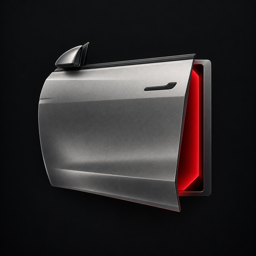
- Its own look: a stainless door on the Vehicle screen, and the truck from above in Controls with the tailgate, frunk and charge port where they are on the truck.
- The rear control says Tailgate instead of Trunk, in the app and in Shortcuts.
- Setup shows where to put the key card on a Cybertruck: on either phone charger in the center console.
Set it up
- Install Handlefree and choose Cybertruck.
- Type your VIN, or scan it with the camera from the truck’s screen, the Tesla app or the windshield plate. Then tap Pair Tesla.
- Put your key card on either phone charger in the center console and approve the new key on the truck’s screen.
- Stand beside the truck and test the driver door once in the app.
Then put the driver door on the Action Button, a Home Screen or StandBy widget, Control Center or a Siri phrase. The other doors, the frunk, tailgate and charge port appear in Shortcuts after one test beside the truck. Action Button setup · Apple Watch
What it doesn’t do
- It doesn’t close the tailgate. Close it on the truck.
- It works only within Bluetooth range of the truck. No remote control over the internet.
- Nothing opens by itself as you walk up. Each press sends one command.
- The Apple Watch opens the driver door only, through your nearby iPhone.
- Tesla doesn’t support third-party apps contacting the car, Handlefree included. Keep your key card with you.
Questions
Does Handlefree work with Cybertruck?
Yes. A Cybertruck owner confirmed all four doors, the frunk, the tailgate and the charge port on 9 November 2026. Since version 1.0.4, Handlefree recognizes the truck from its VIN and shows Cybertruck controls.
Can Handlefree close the Cybertruck tailgate?
No. Handlefree opens the tailgate only. Close it on the truck.
Where does the key card go when I pair a Cybertruck?
On either phone charger in the center console. Then approve the new key on the truck’s screen.
Do I need a Tesla account or internet?
No. Handlefree pairs its own key with your key card and talks to the truck over Bluetooth. There is no sign-in and no server.
Is Handlefree made by Tesla?
No. Handlefree is an independent app by OneKapisch in Germany and is not affiliated with Tesla, Inc.
Sources
- Tesla Cybertruck manual: doors
- Tesla Cybertruck manual: powered frunk
- Handlefree on the App Store (1.0.4 release notes)
Illustration made for Handlefree, not a Tesla image. Handlefree is independent and not affiliated with, endorsed by or connected to Tesla, Inc. Tesla and Cybertruck are trademarks of Tesla, Inc.